Welcome to Premiers Clics !
Free Computer Courses for Beginners

Premiers Clics – Free Computer Courses for Beginners
You are about to start simple and friendly computer lessons designed for total beginners, seniors, or anyone who wants to learn at their own pace. Our courses are clear, step-by-step, and illustrated so you never feel lost — even if you’ve never used a computer before. Free IT courses for beginners & Phone tutorial.
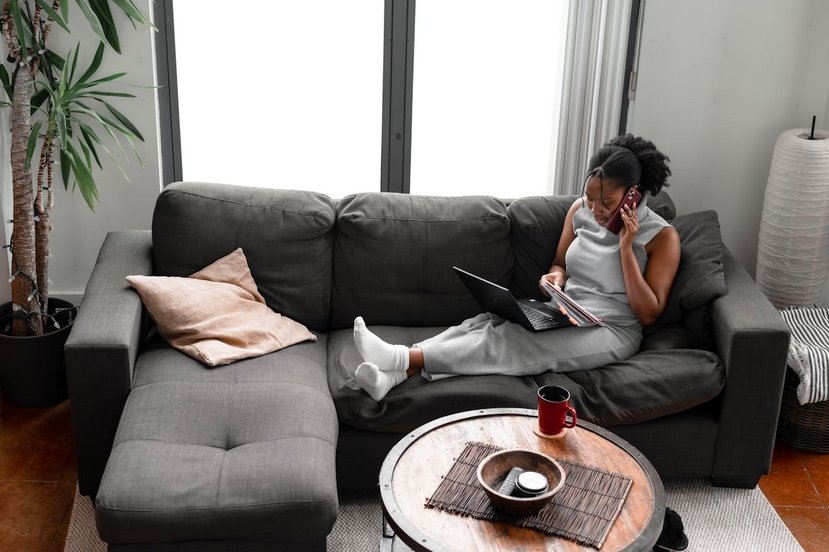
Premiers Clics offers free online computer courses for beginners and seniors, as well as lessons to learn how to set up and use a smartphone or a tablet.
Why Learn Computer Skills Today?
Computers, tablets, and smartphones are everywhere. Today, many tasks — whether personal, social, or administrative — require basic digital skills. From sending emails to browsing the internet, there’s no reason to feel left behind. Learning these skills brings confidence, independence, and connection with family and friends.
Knowing how to set up, adjust, and use your computer, smartphone, or even your tablet is more than necessary. At a time when all user manuals are available online, many people are not comfortable with these new technologies, which require being self-taught to learn how they work.
On Premiers Clics, you will find all the resources you need to learn at your own pace how to use these new technologies: how to copy and paste, create folders, connect a Wi-Fi printer, protect your PC, send emails and attachments, use the internet, as well as how to set up a smartphone or a tablet, change the screen sleep timeout, scan documents… and much more!

Send emails and attachments
How to send emails and attachments. Example with Gmail.

Adjust mobile's volume

Access Netflix

Contact Vinted
How to contact Vinted Customer Service.

Create desktop shorcuts
How to create shortcuts on the desktop.
Protect my computer using a password
How protect my computer with a password or a PIN code.
Make file and folder icons bigger
How to change the size of files and folders icons.

Free up space
Change Wallpaper
How to change the Windows Wallpaper. Windows Course

Connect Bluetooth speakers to phone
How connect a BT device like a speaker to your phone.

Solve internet issues
How to fix the main internet connections issues. Main troubleshooting steps.

Change Google Chrome Homepage
Send a photo with text message
Netflix VPN
How to use a VPN for Netflix.

I can't make calls
Check this tips if you can't make calls anymore.
Change desktop background
How to change the Windows desktop background. Free online Windows Course.
Increase display size
Decompress ZiP File
Learn how to compress and compress ZIP Files.

Recover deleted files
How to recover deleted files in the Windows Recycle Bin.

Connect a wifi printer
How connect a printer to your wifi network and how install it in Windows.

Delete browsing personal data
How to delete cookies, history and other personal data in Chrome or Edge.
View download history
How to view the browser download history in Google.
🧩 Who This Is For
This site is designed for:
✔ Absolute beginners
✔ Seniors
✔ People who feel overwhelmed by technology
✔ Anyone who wants to gain digital confidence
My courses are friendly, clear, and easy to follow, even if you’ve never touched a computer before.
🔹 Computer Basics
🔹 Windows Basics
How to use the mouse and keyboard
- Empty Recycle Bin
- Recover deleted files
- Create and organize folders
- Create desktop shortcuts
- Pin a programm on the taskbar
- Compress a ZIP file
- Decompress a ZIP file
Organize files and folders
Customize your desktop
- Make a screenshot
- Make file and folder icons bigger
Understand the start menu and taskbar
- Open a downloaded file
- Change Windows Wallpaper
- Take a screenshot
🔹 Internet and Email
Open and use a web browser
- Creating a Gmail email
- How to send emails and attachments
- Browsing history in Chrome, Edge or Firefox
- Browsing download history in Chrome, Edge or Firefox
- Delete history in Chrome, Edge or Firefox
- Delete cookies and browsing data
- Set Google Chrome Homepage
Create and manage an email account
- How access Netflix from Phone, PC or Tablet
- What is a VPN ?
🔹 Computer Protection
Keep your computer safe from malware
- Protect my computer with a password
Install antivirus tools
Learn how to avoid scams online
🔹 Troubleshooting & Practical Life
📱 Mobile & Tablet Tutorials
We also offer lessons and practical guides for smartphones and tablets. You’ll learn how to:
Set up your device
- Send a photo with text message
- Adjust the volume of my phone
- Open settings
- Free up storage space
Install and use useful apps
- How to connect a Bluetooth speaker ?
Transfer photos
- Transfer contacts to new phone
- How to see my Google photos ?
These lessons are ideal for users of Android smartphones and tablets.
Smartphone Problems: All Simple Step-by-Step Solutions

Take a Screenshot
See how taking a screenshot in Windows
Compress ZiP File
Learn how to compress and compress ZIP Files.

Create folders
Learn how to create and organize folders in Windows.
Empty Recycle Bin
How to empty the Windows Recycle Bin to permanently delete my files and folders.
Increase display size
View Google browsing
How to check your Google browsing in Chrome, Edge or Firefox.
Create an email account (Gmail)
How to create a Gmail account to send and receive emails.

Thibaut MATHIEU
Editor of Premiers Clics
Editor and writer of Premiers Clics, and author of the book “Je me mets à l'informatique” (only avalaible in french), I share all my computer knowledge to help you learn, using the Premiers Clics computer courses.
Also the manager of a computer support and repair company, I fully understand your needs in computer training and assistance. Every day, I answer my clients’ questions about their computers, phones, or tablets.
This experience has given me extensive knowledge in consumer digital technology, allowing me to separate fact from fiction in device protection, identify the most common user mistakes, and provide numerous tips to make the best use of PCs, smartphones, and tablets.


Why learning computer science at any age is essential today ?
In today’s connected society, computer skills are no longer reserved for professionals or young people. They have become a basic necessity, just like reading or math. Everyday tasks — checking bank accounts, booking medical appointments, staying in touch with family, or following the news — now happen through screens. Yet many people, especially seniors or adults unfamiliar with technology, feel overwhelmed or excluded. In reality, there has never been a better time to learn: it’s urgent, accessible, and often free and online.
Learning computer skills is mainly about regaining independence. It means no longer relying on others to send an email, complete an online form, or install an app. It helps people understand what’s happening on the screen, solve simple problems, and lose the fear of “breaking” something. Digital skills also reduce isolation by opening access to video calls, online communities, public services, culture, and health information.
As the world becomes fully digital, this knowledge is increasingly essential. Paper forms are disappearing, services are moving online, and even daily tasks like tracking a delivery, checking a bus schedule, or sending photos require basic digital skills. Those who don’t adapt risk becoming dependent or invisible — but it’s never too late to start. Anyone can learn at 50, 60, or 70+, without technical background or pressure.
This is exactly what Premiers Clics offers: a free, beginner-friendly learning platform designed for people who never learned computer skills at school. With clear, step-by-step tutorials accessible on any device, the site helps users become confident and independent. Beyond technical skills, learning builds self-confidence: every small success matters. Technology should not be a source of stress, but a tool for freedom, connection, and inclusion — open to everyone, at any age.
About Premiers Clics
Premiers Clics offers online computer courses for beginners and for people who want to deepen their knowledge. Some of the courses available on the site can be accessed for free. A paid subscription unlocks full access to all the computer courses.